

Meta’s first move was kind of interesting: Right out of the gate, they had an open approach to how large language models and agents were going to work. This surprised me because I don’t use Meta products. I think Facebook is hot garbage, filled with angry boomers who can’t discern the difference between information and misinformation. I will acknowledge that Instagram and WhatsApp are both vibrant products, but they’re vibrant products that were acquired by the Meta organization. The truth is, Meta hasn’t made anything interesting in a long time from inside the walls of their building.
I’m struggling to even remember what that 3D nightmare was that Zuckerberg invested tens of billions of dollars into. Was it the called… the Metaverse? Yeah, that’s it. Anyway, that was a smoldering dumpster fire that cost thousands of talented engineers their jobs.
I maintain that Mark Zuckerberg is still the absolute worst CEO in big tech. He has just been afforded a lot of shitty decisions because Meta is highly profitable.
Meta remains a highly profitable organization because their advertising engine on Facebook and Instagram is a juggernaut. You don’t actually have to make great products as long as the ad inventory is there. Additionally, their most useful tools aren’t things I think the Meta organization intended to make useful. Facebook Marketplace is a genuinely good application that exists in the long shadow of Craigslist… which I’m not even sure people use anymore. They didn’t invent the idea of buying and selling things locally. They just happened to have enough users that a marketplace became a logical extension of their core application.
With all that said, Meta as an organization… is confusing. I swear I’m going to get to the point here. Just bear with me. I know a lot of people that either work at Meta today, or used to. Meta’s the kind of place where if your tools don’t work, you’re allowed to remake those tools. Famously, Git was not good enough for Meta. So engineers at Meta created their own code management tool called Mercurial. Imagine having a room of engineers so talented that even genuinely useful tools like Git aren’t good enough. Then your engineering teams take the next logical step of saying, “All right, let’s do something better,” and then executing on it in a way that actually improves code management.
That’s genuinely fucking sick.
So now we get to what Meta is doing with large language models and code creation.
Llama was the first large language model (that I became aware, at least) of that was open source. It’s hard to believe it was only three years ago, but this was a novel concept at the time. Was Llama widely adopted? Not really, and that’s because the hardware was still a challenge, and the ecosystem around open-weight models was not yet mature. It became the domain of a very niche group of engineers who wanted something to tinker with. Also, Llama wasn’t good. It was free. It was open source. But it was pretty rough around the edges.
Then, for about three years, we heard almost nothing out of Meta. In modern tech giant terms, that is a fucking eternity. Maybe it’s because they had to shift resources away from the Metaverse. Maybe it’s because they were trying to make Instagram Stories somewhat competitive with TikTok and still falling on their faces. Whatever the reason, Meta has been sitting in the chair in the corner of the room, watching everybody else enjoy themselves. To each their own, I suppose, but if you’re trying to be a competitive big-name tech company, you might not want to sit in that chair.
After all, Meta should be competing with Google, Microsoft, Apple, and AWS. In recent months, competitors out of China have shown that open weight models can be highly useful, and compete in the frontier model race with the likes of OpenAI and Anthropic. And I’d be remiss if I didn’t mention Mistral because I use the DevStral model pretty often on my own local workloads. France isn’t waving the white flag… yet. (Boom! Roasted France again!)
So let’s start with the good here…
Muse Code with Spark 1.2 is a genuinely good coding assistant. I try not to overfocus on benchmark tests, trying to compare Codex to Opus or Fable or Kimi… mostly because I don’t work in a benchmark. I take my workload and I run it a couple different ways.
For Beautiful Majestic Dolphin, we have some style content and stack templates we use when we are building new marketing websites for our products. When we want to build a new site, I take those five markdown files, I go into them, and I edit the templates in a way that stylistically fits what we need, along with maintaining the integrity of our stack, because it’s just easier to maintain that way.
But I wanted to give Spark 1.2 and Muse Code a challenge. I wanted to see how it would do, heads up, against Fable 5. I needed a website built this morning. It had 45 pages to build, most of them related to different product verticals that this marketing site was going to address. I’ll say that the BMD design system is fairly easy to replicate. The stack is something that should be pretty native to Meta because we use React.
I opened up two different terminals and opened the same folder copy twice. I wanted to see what Spark 1.2 would do, and I wanted to see what Fable 5 would do. I ran Spark in Muse code, and I ran Fable 5 in Claude Code. It felt fair to run each model in the ecosystem and the harness it was designed for.
So what were the results?
They were almost exactly identical websites. I’d provide screenshots, but it wouldn’t be useful because they look the fucking same. In some cases, the errors that were made by Fable 5, which were very small in terms of scrolling behavior, Spark 1.2 did not make those same mistakes. Alternatively, there were some things that I think Fable 5 did better, just in terms of site alignment and grid spacing, that Spark 1.2 did not handle as well. In terms of the one-shot output performance before I have to go in and make granular edits, I’d say it’s a wash.
Where it’s not a wash was the time it took.
Muse Code with Spark 1.2 finished 45 pages in 3 and a half minutes.
Claude Code with Fable 5 took close to 20 minutes.
Spark 1.2 has crazy fast output. I’m not sure how many tokens a second it turns into, but just looking at it on screen, Spark 1.2 is blazing fast.
Then there’s the second thing I want to talk about here, because I know it’s not a real number, but right now it’s a real number to my wallet — and that’s the cost.
8 fucking cents, man.
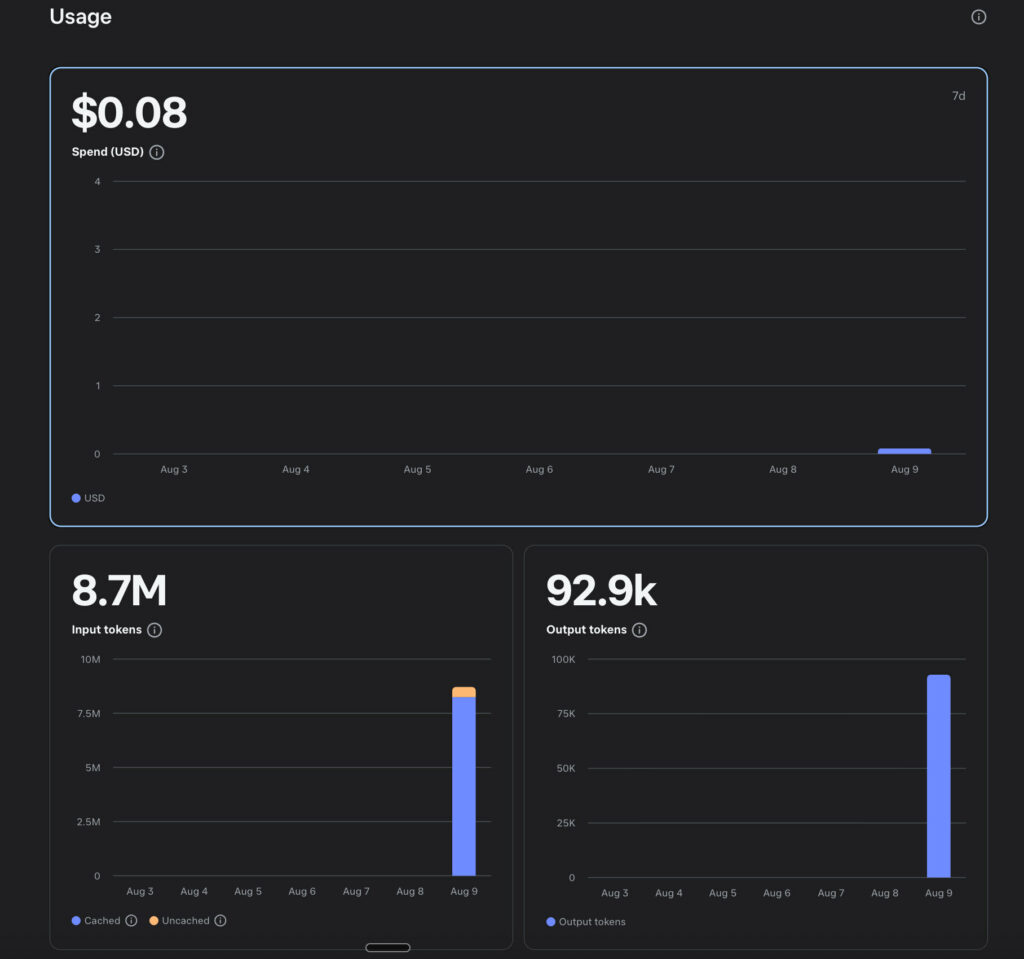
Spark 1.2 offers a heavily subsidized “contributor” pricing tier. I can only assume that because the contributor model allows them to see your code, that they’re using this for training purposes. Since this website doesn’t contain anything proprietary and it’s just a marketing website, I don’t mind giving Meta my data for this, because it’s not something that would compromise my IP. Using Muse Code with Spark 1.2, in three and a half minutes, I generated a 45-page marketing website that was extremely well executed and will require a very minimal amount of tweaking. I did it for $0.08.
I know that’s not a real number, and I don’t expect that number to continue being a real number in the future. With that said, even after they remove the contributor pricing tier and the tokens get more expensive, it’s not that much worse. Yes, technically it’s 10 times more expensive if you’re not on the contributor tier, but if I can generate a 45-page website for $0.80, that is still a fucking steal.
The speed here really matters, though. If you have to do a lot of frontend work or full-stack work and you’re just looking at how much you can do in a single day, being able to quickly iterate through your Markdown files and generate full-stack applications at scale is pretty fucking “tuff”, man.
So I decided to throw something a little harder at it. Our custom CRM.
Fine, I get it. I’m a cheap asshole. Whatever. I didn’t want to pay for Salesforce, or Monday, or Close or any of these other CRMs. So I sat in my office for probably half a day, and I dictated the features of what I wanted in my CRM. (Shoutout to Wispr Flow.) Don’t get me wrong, I like what some of those CRMs do. In fact, I got a Close trial just so I could open their interface and see how it works and see what features I liked and didn’t like. I did the same with Monday, but I was immediately unimpressed and just canceled. Sometimes I wonder how these CRM salespeople function. It almost looks like they’re just big sales organizations that are designed to push mediocre software. Monday looks like one of those organizations. Don’t worry, though. Monday uses AI. Neat-o, gang.
We get it. You threw a shitty small agent into your existing application, and now it summarizes things poorly. Awesome. This is pretty much what every existing SaaS company has done, by the way.
Moving on…
Then I thought about the other things that it didn’t do, that I wanted my CRM to do, which were custom integrations with our software that we build internally. I have been using a mix of Opus and Fable to build our CRM for about two weeks now. A little background on our CRM because it has to do a lot of different things…
Beautiful Majestic Dolphin has a mix of both federal and commercial clients. We also work with a mix of federal primes, small businesses that work with the federal government, and people who don’t work with the government at all. Just people who are in industry, whether that’s banking and finance or e-commerce and retail. Our CRM needs to be able to manage a lot of different things, from SAM.gov opportunities to opportunities that are coming from referral channels from our sales team. (I say sales team loosely because, we’re kind of an explicitly “anti-sales” organization, but that’s another story for another day. Let’s just say that we are a very product-driven organization, and we don’t like having people in our sales team who are bothering potential clients with things they don’t need. I don’t like the cold calling BDR style because I just don’t think it meets engineering needs.)
That means we have to be able to natively embed lead forms onto our websites quickly and easily. We have a managed backend Supabase database that contains all of our customer tables, information, products, pricing, etc. We have to manage direct sales channels from AWS Marketplace and Azure Marketplace. We offer many different software products at different per-seat and enterprise licensing models. We have this sort of open-ended thing where some of our customers get custom enterprise pricing, and we need to be able to configure our quotes dynamically inside the dashboard.
Suffice to say, during this build process, it’s been hyper iterative because anytime you’re making a custom design piece of software for a business with a whole lot of nuance behind it, you end up with a CRM, and a build sheet, and a specification sheet that’s… a little hairy.
I wanted to throw a Spark 1.2 at it and just see what it thought about our code base. How does it feel about the review? What does it understand this CRM is supposed to do? Does it have any improvements? Are there any gaps? Does it have any suggestions about how to make the product more efficient? So I did what I always do. I yapped at Wispr Flow for a little while, and then I output the results.
So how did it do? It didn’t do as well as Fable 5 when it came to the complex needs of interpreting the Markdown files and then figuring out what needed to happen next in terms of things like customer journey or how RFP responses need to work logically. Fable 5 is still world-class when it comes to understanding the engineering requirements and then following the engineering requirements and asking for suggestions at appropriate points. What Fable 5 didn’t do really well at was front-end design for UI and UX. For reasons I can’t quite understand. Some of the elements weren’t responsive. The screen sizes weren’t responsive, but only in certain panels. The buttons didn’t have the correct radius on them and were non-standard on different parts of the application.
It was just weird. That’s the best way I can describe it. It was an interface, and it technically worked, but it looked and felt just a little weird. I can immediately spot sites that are created by Claude Code, especially people who are trying to one-shot websites. There’s just this look to them, and I can also see it when I’m looking at application interfaces.
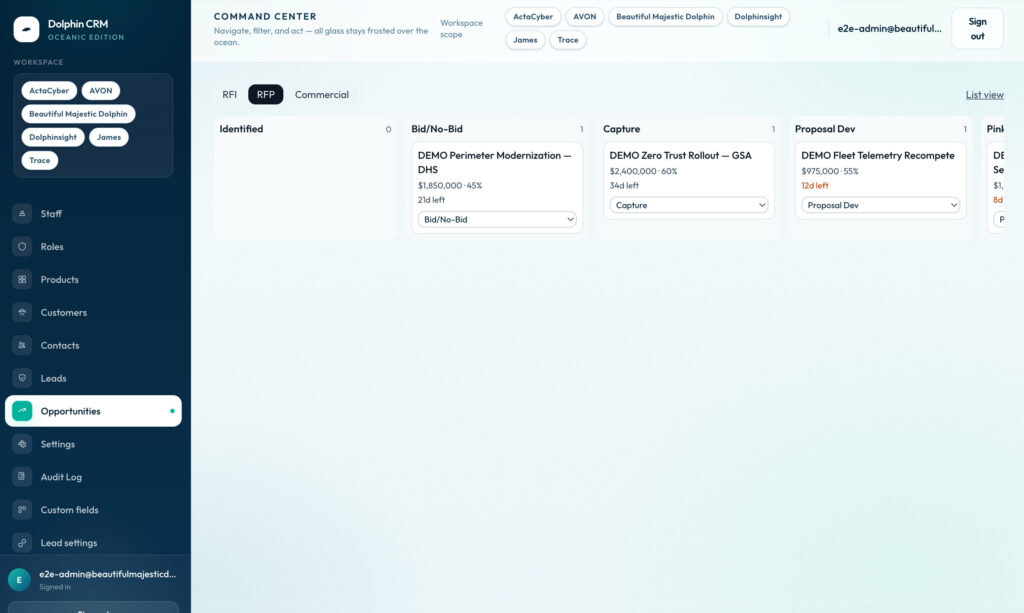
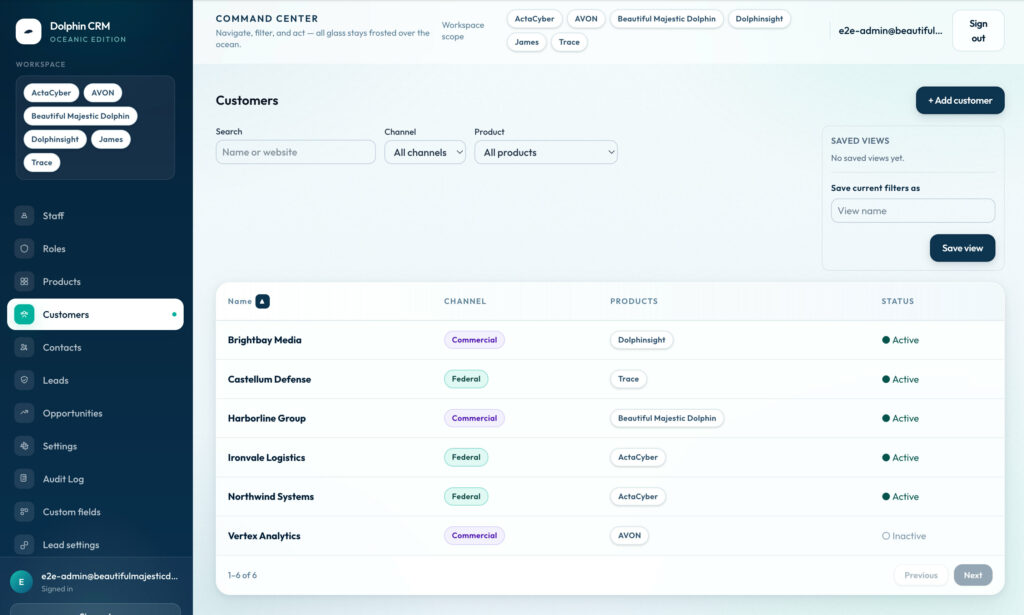
Spark 1.2 did a lot better when it came to UI and UX. This was a night-and-day difference. When it comes to front-end web development tasks, user interface tasks, and even styling things like email templates, if I give Spark 1.2 a robust markdown file and I’m able to write prompts with proper loops built in for decision making, I think Spark 1.2 will likely become my preferred daily driver specifically for front-end application web development and tasks that have a need for a user interface. On these tasks, I think it even does better than Codex and also Gemini. I’ve used them all. I’ve tested them all. I do think that Gemini does well with website design, but it struggles a little with application design.
Spark just crushes UI/UX work. It looks amazing, objectively speaking.
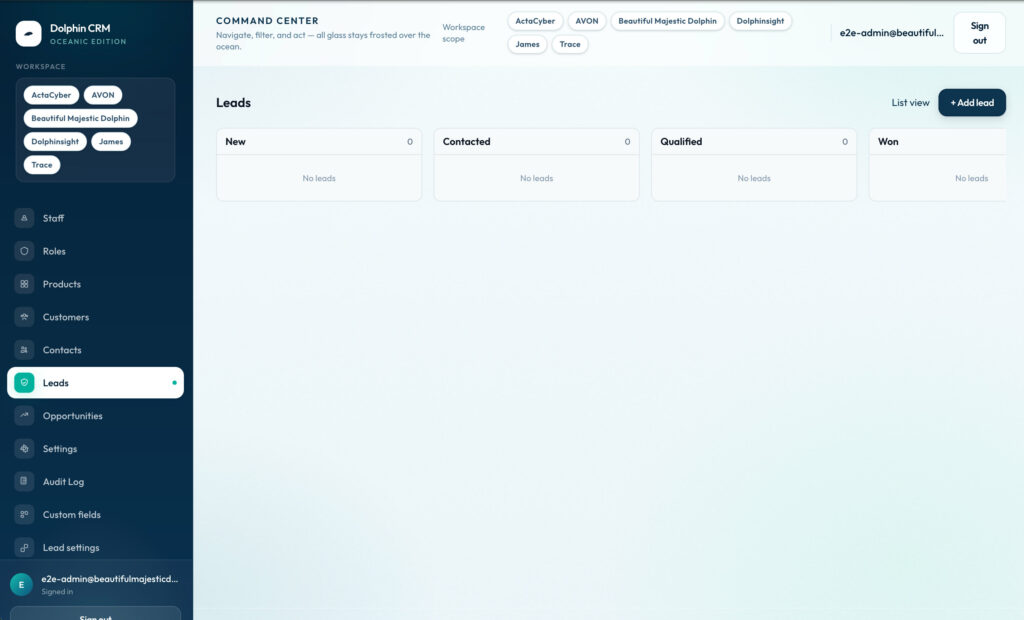
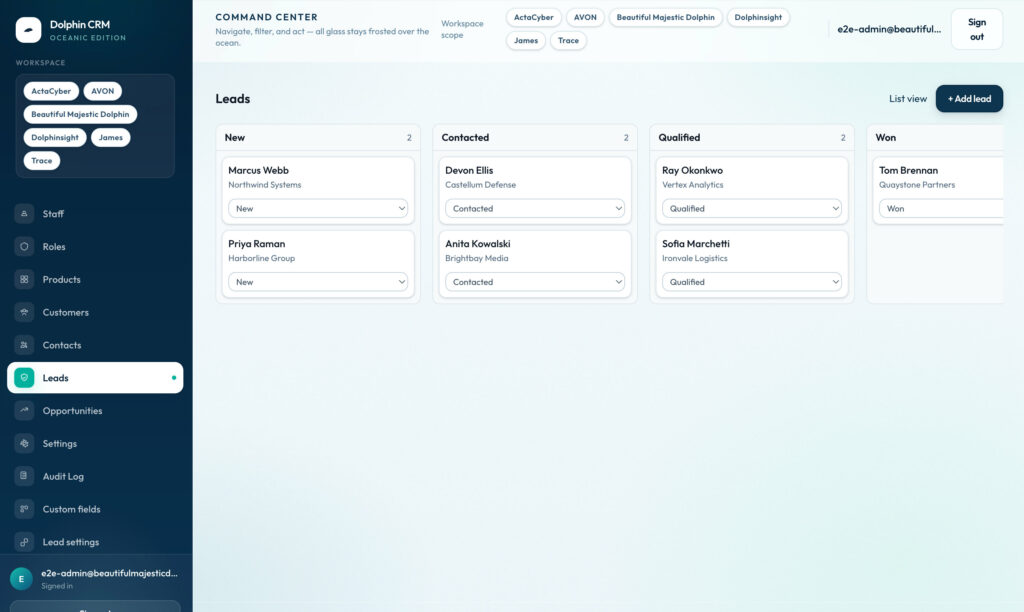
Did I mention it’s cheap, like your mom? Boom. Roasted.
And the cool part is I only spent about $0.60 on tokens to polish up the application user interface and user experience for the custom CRM we’re building. Once again, yes, I know it’s not a real price, but it’s still really fucking cheap, and I’m just going to appreciate it. Happy hour doesn’t last forever, but drink up while it’s around, because at 7 p.m. the drink prices go up.
This doesn’t mean that I don’t have to put some polish on it and I’m not gonna have to do some manual pieces, but I’m fine doing that. If I can let Spark 1.2 do the heavy lifting of a CRM, especially when it comes to user interface design, I’ll call that a victory any day of the week. The combination of Muse and Spark 1.2 is genuinely impressive. I think for my particular tasks, it’s on par with at least Opus. Given the cost and the fact that the Muse harness is easy to use, I can’t think of a reason I’m not gonna integrate it into my regular workflow.